What is FTTB? NBN fibre to the building explained
FTTB (Fibre to the Building) is the NBN connection type used in many apartment blocks, where fibre runs the building's communications room and the building's copper wiring connects each unit.
On this page
- Quick facts
- What does FTTB mean?
- Why nbn uses FTTB in apartment buildings
- How does FTTB work?
- What affects your FTTB speed
- What equipment do you need for FTTB?
- Installation
- What speeds can you get on FTTB?
- Is FTTB reliable?
- How to get the best performance from FTTB
- NBN FTTB vs TPG and iiNet FTTB
- FTTB vs FTTP: what's the difference?
- Can you upgrade from FTTB to FTTP?
- How to check if you have FTTB
- Does FTTB work in a blackout?
- Lift phones, fire alarms and other building services
FTTB (Fibre to the Building) is an NBN connection type used mainly in apartment blocks, where nbn runs fibre optic cable to a node in the building's communications room, and the building's existing copper wiring carries the connection to each apartment.
Because the copper only has to travel through the building, FTTB is usually faster and more consistent than fibre to the node (FTTN), but it shares the same 100 Mbps speed ceiling.
This guide explains what FTTB means, how it works, what equipment you need, what speeds you can expect, how it differs from non-NBN FTTB services, and whether you can upgrade to full fibre.
Quick facts
- FTTB means fibre to the building. Fibre runs to a node in your building's communications room, and the building's copper wiring connects each apartment to that node.
- The fastest nbn wholesale tier available on FTTB is up to 100 Mbps download and up to 40 Mbps upload. The 500 Mbps and faster tiers are only available on full fibre and HFC.
- FTTB doesn't use an nbn connection box. Your provider supplies a VDSL2 modem that plugs straight into the telephone wall socket in your apartment.
- FTTB had the lowest rate of rectified faults of any NBN fixed line technology in the December 2025 quarter, at 0.9 per cent of services, according to ACCC network performance data.
- FTTB buildings aren't part of nbn's main full fibre upgrade programs yet, although nbn is running a limited trial of FTTB to FTTP upgrades.
What does FTTB mean?
FTTB means fibre to the building. nbn describes it as a fixed line technology for multi-dwelling units, such as apartment blocks, where fibre ends at the building itself rather than at a cabinet in the street or at each individual home.
You'll also see FTTB called "fibre to the basement", because the communications room that houses the node is often in a building's basement or ground floor. Both names refer to the same technology. You may also see it written as "nbn FTTB" or "FTTB nbn".
FTTB is one of seven NBN connection types, and one of three that use copper for the final part of the connection, alongside fibre to the node (FTTN) and fibre to the curb (FTTC). Our guide to NBN connection types explains how they all compare.
Why nbn uses FTTB in apartment buildings
nbn's 2017 explainer on FTTB says the copper inside an apartment building belongs to the building, not to nbn, and that replacing internal wiring in buildings across Australia would be a massive, complicated and time consuming task. Putting the node inside the building let nbn reuse that wiring while keeping the copper run short.
The same article says FTTB was faster to roll out and less expensive than full fibre, and that FTTN can be a poor fit for large buildings because of the combined copper distance and the number of people sharing a node. Newer buildings that already have internal fibre may be connected with full fibre instead.
How does FTTB work?
Your internet signal travels over fibre optic cable to a node in your building's communications room. This node is likely to take the form of a secure cabinet. From there, the building's existing copper cabling carries the signal to the telephone wall socket in your apartment, where it connects to your modem.
FTTB uses VDSL2, the same copper technology used on FTTN. But on FTTN, the copper can run hundreds of metres from a cabinet in the street. On FTTB, most of the copper run is the vertical path between your apartment and the communications room, so the signal has less distance to travel and less room to weaken along the way.
A technique called vectoring is used on some FTTB nodes to cancel interference between neighbouring copper lines, which helps lines reach faster speeds.
What affects your FTTB speed
Because the copper belongs to the building, its condition plays a big part in the speed you get. nbn says actual speeds on FTTB depend on the building's cabling, your provider's network design, how busy the network is at peak times, your equipment and your plan. Two apartments in the same building can get different results if their internal wiring differs.
What equipment do you need for FTTB?
An FTTB apartment needs one piece of equipment: a VDSL2 compatible modem. There's no nbn connection box.
According to nbn's FTTB page, your provider should supply the modem, and if you already have one, it must be VDSL2 compatible to work on an FTTB connection. The modem connects to your telephone wall socket with a telephone cable. This is the same setup used on FTTN, so a modem that works on FTTN will work on FTTB.
A modem built only for full fibre, HFC or FTTC won't work on FTTB on its own, because those connection types use an nbn connection box with an Ethernet port. If you're moving into an FTTB apartment from a house, check your modem supports VDSL2 before you connect.
Installation
nbn says your provider will let you know whether an appointment is needed for your FTTB connection. In many cases, no technician is needed. If one is, the visit can take up to two hours, someone over 18 needs to be home, and renters need permission from their landlord or property manager because the technician may need to drill into a wall.
Once your provider confirms the service is active, you set up the modem yourself using your provider's instructions. nbn recommends:
- Removing old ADSL filters. Filters left over from an older ADSL service can limit your connection.
- Placing the modem well. Put it in a central spot, off the floor and away from cupboards, thick walls and other electronics, so the Wi-Fi reaches the rest of your apartment.
- Plugging phones into the modem. An nbn compatible home phone plugs into the modem rather than the wall socket.
If you want the wall socket moved to another room, nbn suggests contacting a registered cabler or your provider about the work and any costs.
What speeds can you get on FTTB?
FTTB apartments can order plans with download speeds of up to 100 Mbps. nbn's FY27 wholesale price list lists the fastest FTTB tier as 25 to 100 Mbps download and 5 to 40 Mbps upload. The range reflects the fact that copper lines vary, so the top speed your line supports may sit below 100 Mbps.
When nbn lifted its higher speed tiers in September 2025, the faster speeds were limited to homes on Fibre to the Premises (FTTP) or Hybrid Fibre Coaxial (HFC).
The table below shows how FTTB compares with the other copper based connection types and the two fastest NBN connection types, based on nbn's FY27 wholesale price list.
| Connection type | Fastest download speed | Fastest upload speed |
|---|---|---|
| FTTB | Up to 100 Mbps | Up to 40 Mbps |
| FTTN | Up to 100 Mbps | Up to 40 Mbps |
| FTTC | 100 Mbps | 40 Mbps |
| HFC | 2,000 Mbps | 100 Mbps |
| FTTP | 2,000 Mbps | 500 Mbps |
These are wholesale speeds, not guaranteed speeds. The speed you actually get also depends on your provider and how busy its network is in the evening. A 100 Mbps plan is usually enough for a household that streams in 4K, makes video calls and works from home, but it can't match the gigabit plans available to apartments with full fibre.
Is FTTB reliable?
FTTB is one of the more reliable NBN connection types. In the ACCC's December quarter 2025 data, faults were fixed on 0.9 per cent of FTTB services, the lowest proportion of any fixed line technology. The same quarter's figures were 1.3 per cent for FTTP, 1.5 per cent for FTTN, 2.5 per cent for HFC and 3.3 per cent for FTTC.
That doesn't mean FTTB is trouble free. The ACCC noted that the number of FTTB services affected by more than seven dropouts a month increased slightly in the quarter, to 19.6 per 1,000 services. Dropouts on FTTB are often linked to the building's internal wiring, which your provider can test.
How to get the best performance from FTTB
You can't change your building's copper, but you can make sure your own setup isn't holding your connection back.
- Use the right modem. Make sure your modem supports VDSL2, and ideally use the one your provider supplies, as it's set up for their network.
- Remove filters and splitters. ADSL filters, double adapters and phone extension leads between the wall socket and the modem can limit or block the connection.
- Use the main socket. If your apartment has more than one phone socket, try the one closest to where the line enters your apartment.
- Test with a cable. Run a speed test on a device connected to the modem with an Ethernet cable. If the wired result is fine but Wi-Fi is slow, the problem is your Wi-Fi rather than the FTTB line.
If your speeds or dropouts don't improve, contact your provider. It can run a line test and raise a fault with nbn if needed.
NBN FTTB vs TPG and iiNet FTTB
Not every FTTB service is on the NBN. Some apartment buildings are also wired to a separate fibre to the building network owned by TPG Telecom, which is sold under brands including TPG and iiNet. These services use the same basic design as nbn's FTTB, with fibre to the building and copper to each apartment, but they run on a different network with different plans.
TPG describes its FTTB service as a lower cost nbn alternative that runs on the Vision Network and is available to newly connected Vision Network premises only.
TPG's estimated speeds on installation range from about 24 to 25 Mbps on its entry plan, up to between 251 Mbps and 1 Gbps download on its FTTB Max plan, which is offered at select addresses. iiNet's Ultra FTTB plans list a similar range, with the fastest plan also limited to select addresses.
The main differences are:
- Network: nbn FTTB is part of the National Broadband Network and is available through most providers. TPG Telecom's FTTB runs on its own network and is sold through its own brands.
- Top speed: nbn FTTB is capped at 100 Mbps download. Some buildings on TPG Telecom's network can get plans faster than 100 Mbps.
- Availability: TPG says its FTTB is only available in select buildings. You check eligibility on the provider's website rather than nbn's.
A building can have both networks, so checking your address with nbn and with these providers shows which options you have. Our guide to NBN connection types covers other non-NBN networks in more detail.
FTTB vs FTTP: what's the difference?
The difference is the final stretch into your apartment. FTTB uses the building's copper wiring from the communications room to your apartment, while FTTP runs fibre all the way to an nbn connection box inside your apartment.
- Speed: FTTP can access every residential speed tier, up to 2,000 Mbps download. FTTB tops out at 100 Mbps.
- Equipment: FTTB uses a VDSL2 modem plugged into your phone socket. FTTP uses an nbn connection box that connects to a router with an Ethernet cable.
- Reliability: FTTB's fault rate was lower than FTTP's in the ACCC's December 2025 quarter data, so the main reason to move to full fibre is speed rather than reliability.
Our guide to what FTTP is explains full fibre connections in more detail, and our guide to FTTN vs FTTP covers how the VDSL2 technology FTTB shares with FTTN compares with full fibre.
Can you upgrade from FTTB to FTTP?
nbn's full fibre upgrade program for buildings and complexes only covers buildings with FTTN or FTTC available. Under that program, the body corporate or building owner applies on behalf of the whole building and pays a co-contribution of $275 (including GST) per unit. nbn's common questions on the program say FTTB buildings won't be eligible to connect to full fibre straight away.
nbn is testing an upgrade path for FTTB. Its July 2026 integrated roadmap lists the release of FTTB sites upgrading to FTTP under a trial agreement and an extension of the FTTB to FTTP trial into the 2026 to 27 financial year. Participation is limited, and nbn hasn't announced a wider program for FTTB buildings.
If you live in an FTTB building and want faster speeds, you have a few options:
- Talk to your body corporate. Upgrades for apartment buildings are arranged for the whole building, so the owners committee or building manager is the starting point for any trial or future program.
- Check for other networks. Your building may also be connected to a non-NBN FTTB network that offers faster plans.
- Check your address regularly. The nbn website shows your connection type and any upgrade options as they become available.
Our guide to NBN fibre upgrades explains how upgrades work for FTTN and FTTC homes and buildings.
How to check if you have FTTB
The easiest way is to enter your address, including your unit number, on the nbn website. It shows your connection type and any upgrade options.
You can also check your equipment. An FTTB apartment has no nbn connection box. Your modem plugs straight into the telephone wall socket with a phone cable, which looks the same as an FTTN setup.
If you live in an apartment block and have this setup, you most likely have FTTB. An FTTC home has a small nbn box between the wall socket and the modem, and FTTP and HFC homes have an nbn box that connects to a fibre or cable outlet. Your provider can also confirm your connection type.
Does FTTB work in a blackout?
No. Your modem needs mains power, and so does the node in your building's communications room.
nbn's power outage guide says landline phone and internet services won't work during a power outage within the FTTB network, and that using a backup power source at home won't help if the building's FTTB equipment has also lost power. nbn recommends keeping a charged mobile phone nearby.
Lift phones, fire alarms and other building services
Some building systems, such as emergency lift phones and monitored fire alarms, may still rely on old copper phone services.
nbn's FTTB page says these critical services may be at risk when the old copper network is replaced, and recommends that your owners corporation contacts the lift and alarm providers to check they will keep working.
If you rely on a medical alarm, check with your alarm provider that it works on your NBN connection.
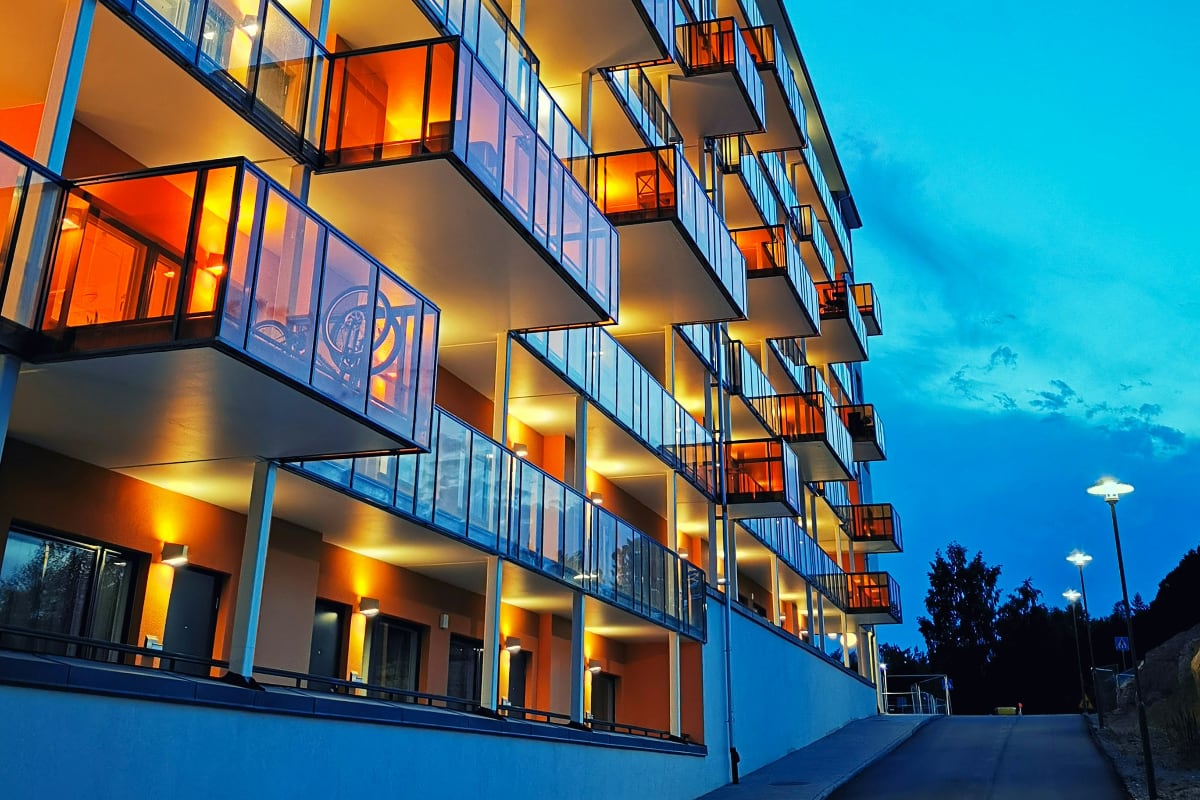
Photo by ThePowerCouple on Unsplash
See if you can save
Enter your address and compare plans from Australia's leading retailers.
Frequently asked questions
What is FTTB on the NBN?
Is FTTB good?
What is the maximum speed on FTTB?
Is FTTB better than FTTN?
Is FTTB the same as fibre to the basement?
Do I need an nbn box for FTTB?
Can I upgrade my apartment from FTTB to FTTP?
Keep reading

What is FTTC? NBN fibre to the curb explained
FTTC is the NBN connection type that runs fibre to a pit in your street and uses the short copper line into your home. Here's how fibre to the curb works, its speed and how to move to full fibre.

FTTN vs FTTP: what's the difference and which is better?
FTTN and FTTP both use fibre, but only FTTP runs it all the way to your home. This guide compares the two on speed, reliability and equipment, and explains how FTTN homes can upgrade to full fibre.
What is FTTN? NBN fibre to the node explained
FTTN is the NBN connection type that runs fibre to a cabinet and uses the existing copper phone line for the rest. Here's how fibre to the node works, why speeds vary, and how to move to full fibre.