NBN connection types explained
The NBN reaches homes through different connection types, and the one at your address decides which speeds you can get. Here's how each type works, its top speed and how to find out which you have.

On this page
- Quick facts
- What does NBN mean?
- The seven NBN connection types at a glance
- Fixed line NBN connection types
- Fibre to the Premises (FTTP)
- Hybrid Fibre Coaxial (HFC)
- Fibre to the Curb (FTTC)
- Fibre to the Node (FTTN)
- Fibre to the Building (FTTB)
- Wireless and satellite NBN connection types
- Fixed Wireless
- Sky Muster satellite
- Which NBN connection type is best?
- Can you upgrade your NBN connection type?
- How to find out which NBN connection type you have
- Compare NBN plans for your connection type
Your NBN connection type is the technology that carries the network over the last stretch into your home.
It might be a fibre optic line, an old copper phone line, a pay TV cable, a radio signal from a tower or a satellite dish on the roof. The connection type determines the speeds and plans available to you.
The most important thing to know about your connection type is that you don't get to choose. It's determined by what technology nbn has built in your street.
This guide explains what NBN means, how each of the seven connection types works, which types support the fastest speed tiers and how to work out what's at your address.
Quick facts
- NBN stands for the National Broadband Network, which is Australia's national wholesale open-access broadband network.
- There are seven NBN connection types: FTTP, HFC, FTTC, FTTN, FTTB, Fixed Wireless and Sky Muster satellite.
- Only FTTP and HFC connections can access the fastest home speed tiers of 500 Mbps and above.
- Full fibre (FTTP) is now the most common connection, making up around 38 per cent of nbn connections as of July 2026, according to nbn.
- Many homes on copper-based FTTN and FTTC connections can now upgrade to full fibre, and FTTC homes no longer need to order a high-speed plan to qualify.
- Your connection type belongs to your address, so it stays with the property when you move.
What does NBN mean?
NBN stands for the National Broadband Network. It is Australia's national wholesale open-access data network, run by NBN Co Limited, a fully owned Commonwealth company established in 2009. The company trades as "nbn", which is why you'll often see the name written in lower case.
"Wholesale" is the important word. nbn builds and maintains the network, but it doesn't sell plans to households. Internet providers buy access from nbn and sell their own plans on top of it. nbn's guide to how the network comes together splits the responsibilities this way: nbn looks after faults and outages on its network and the wholesale speeds delivered, while your provider handles plans and pricing, its own network capacity and customer support.
Rather than running fibre to every property, nbn built the network using a mix of technologies, which it calls the Multi Technology Mix. That's why your neighbour across town can have a very different connection to yours.
The seven NBN connection types at a glance
The table below shows the fastest wholesale speed tier nbn offers on each connection type. Wholesale speeds are the maximum speeds nbn provides to internet providers, and the speed you actually get also depends on your provider, your plan and your home setup.
| Connection type | How the last stretch reaches your home | Fastest wholesale tier (download/upload) | Where it's typically used |
|---|---|---|---|
| Fibre to the Premises (FTTP) | Fibre optic cable all the way into the home | 2000/200 Mbps | Newer suburbs, estates and upgraded copper areas |
| Hybrid Fibre Coaxial (HFC) | The existing pay TV cable network | 2000/100 Mbps | Metro areas that had cable TV |
| Fibre to the Curb (FTTC) | Short copper line from a pit in the street | 50 to 100/20 Mbps | Suburban homes |
| Fibre to the Node (FTTN) | Copper phone line from a street cabinet | 25 to 100/5 to 20 Mbps | Established suburbs and towns |
| Fibre to the Building (FTTB) | The building's existing internal wiring | 25 to 100/5 to 20 Mbps | Apartment blocks |
| Fixed Wireless | Radio signal from a tower to a roof antenna | 400/10 to 40 Mbps | Regional areas |
| Sky Muster satellite | Signal from a satellite to a roof dish | 100/5 Mbps | Rural and remote areas |
Fixed line speeds are from nbn's speed plans page. The FTTC, FTTN and FTTB ranges show the top speed a line may reach, and nbn notes that actual speeds can fall below the range. Fixed Wireless and Sky Muster figures are potential maximums from the same page.
Fixed line NBN connection types
Five of the seven types are fixed line connections, meaning a physical cable runs to the premises. The difference between them comes down to how far the fibre reaches and what carries the signal for the rest of the way.
Fibre to the Premises (FTTP)
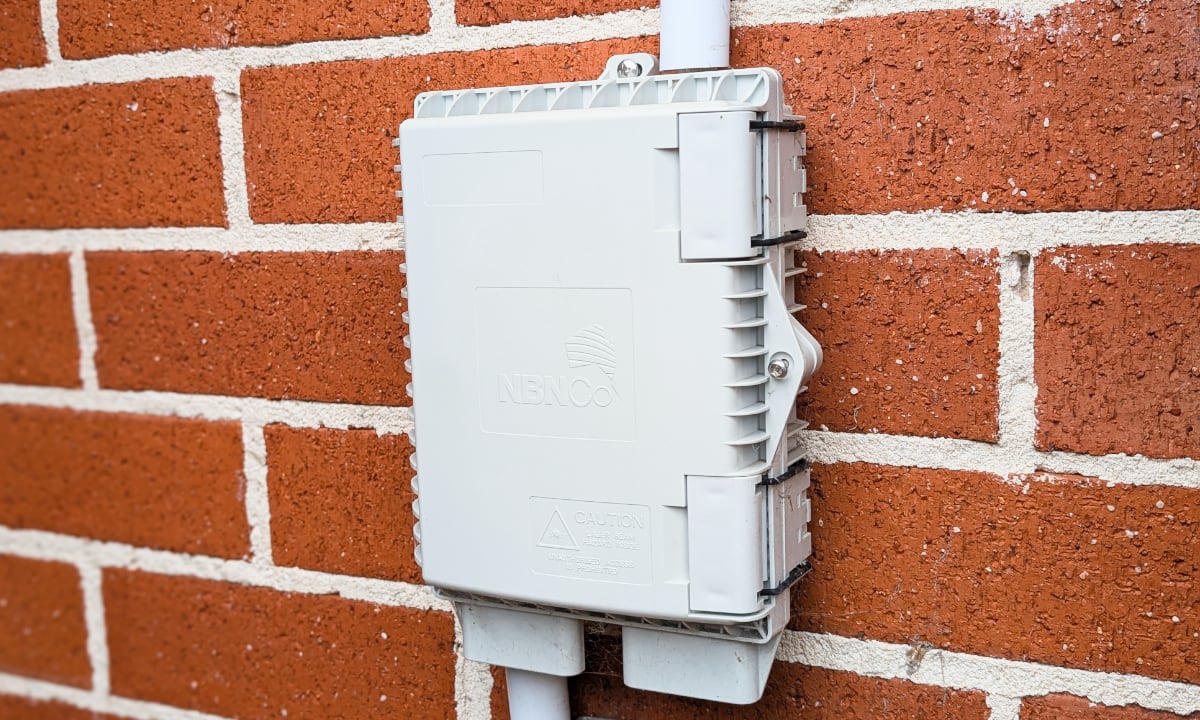
With FTTP, a fibre optic line runs from the nearest fibre node directly to your home, with no copper involved. The installation includes an nbn utility box on the outside of the house, usually at the front of the property, and an nbn connection box inside. Your router plugs into the connection box with an Ethernet cable.
FTTP is the fastest and most reliable connection type on the network. It supports every fixed line speed tier, including Home Hyperfast at 2000/200 Mbps, which has the highest upload speed nbn offers to homes.
The connection box needs mains power, so your internet won't work in a blackout unless you have a backup. If you rely on your service during outages, ask your provider whether your equipment will keep working.
Hybrid Fibre Coaxial (HFC)
HFC reuses the existing cable network originally built for pay TV for the final part of the connection. A white cable links the wall outlet to an nbn connection box, which plugs into a power point and connects to your router through its yellow port.
HFC supports the same speed tiers as FTTP, up to 2000 Mbps downloads, but its top upload speed on Home Hyperfast is 100 Mbps rather than 200 Mbps. nbn notes that 2 Gbps plans need the latest model HFC connection box, so check with your provider if you're planning to move to that tier.
Fibre to the Curb (FTTC)
With FTTC, fibre is extended close to your home and connects to a small Distribution Point Unit, generally in a pit on the street. Your existing copper phone line covers the short distance from that pit to the house. An nbn connection box inside the home both powers the service and links you to the network.
Because the copper run is short, FTTC generally performs better than FTTN. It still tops out at the Home Fast I tier of 50 to 100 Mbps downloads, so FTTC homes can't access the 500 Mbps and faster tiers without upgrading to full fibre.
Fibre to the Node (FTTN)
FTTN uses fibre to reach a node, which is usually a street cabinet, and the existing copper phone network makes the final connection to your home. There's no nbn connection box. Instead, you plug a VDSL2-compatible modem straight into your telephone wall socket.
FTTN speeds depend heavily on the condition and length of the copper line between the node and your home. Its Home Fast I tier reaches anywhere from 25 to 100 Mbps downloads, and nbn notes that speeds can fall below that range. FTTN is the main target of nbn's copper-to-fibre upgrade programs, which are covered further down.
Fibre to the Building (FTTB)
FTTB is used in apartment blocks and other multi-dwelling buildings. nbn runs fibre to a node in the building's communications room, and the building's existing wiring carries the signal to each apartment. Like FTTN, it has no nbn connection box and needs a VDSL2-compatible modem.
FTTB has the same speed range as FTTN, but it has far fewer upgrade options. nbn offers whole-of-building full fibre upgrades for apartment blocks, but only where the building is served by FTTN or FTTC. Its building upgrade FAQs say FTTB won’t be eligible to connect to full fibre straight away, and nbn’s July 2026 roadmap shows FTTB to FTTP upgrades are still at the trial stage.
Wireless and satellite NBN connection types
nbn uses wireless and satellite technology in regional and remote areas, where homes are spread over large distances and running cable to each one isn't practical.
Fixed Wireless
Fixed Wireless uses hybrid 4G and 5G technology to send data over radio signals from a transmission tower to an nbn antenna mounted on your roof, wall or eaves. The signal passes to an nbn connection box indoors and then to your router. The network is available to around 800,000 premises across Australia.
Following an upgrade program, Fixed Wireless now has two higher speed tiers available to eligible premises. Fixed Wireless Superfast offers a potential maximum of 400 Mbps downloads, with a peak-hour wholesale maximum of 357/25 Mbps. Fixed Wireless Home Fast offers up to 250 Mbps, with a peak-hour wholesale maximum of 187/15 Mbps.
nbn said the Superfast tier would be available to around 80 per cent of the Fixed Wireless coverage area, so not every Fixed Wireless home can order it.
Speeds on Fixed Wireless are shared with other users connected to the same tower, so they can drop during busy evening hours.
Sky Muster satellite
Sky Muster serves homes and businesses in rural and remote areas that are outside the fixed line and Fixed Wireless footprints. Installation involves a roof dish that's typically 80 to 120 cm across and an nbn modem inside.
Standard Sky Muster plans peak at 12/1 Mbps or 25/5 Mbps. Sky Muster Plus Premium plans offer uncapped data for most activities and wholesale speeds of up to 25, 50 or 100 Mbps, although nbn anticipates typical busy period downloads of 21, 38 and 64 Mbps respectively on its speed plans page. Satellite connections also have noticeable latency, because data travels a round trip of around 72,000 km.
Sky Muster is being replaced. In August 2025, nbn announced an agreement with Amazon to deliver low Earth orbit (LEO) satellite broadband, now powered by Amazon Leo, to customers in its satellite footprint. nbn said the two Sky Muster satellites should remain viable until around 2032.
In its August 2026 update, nbn said the introductory nbn LEO plans will offer wholesale speeds of up to 50/10 Mbps and 100/20 Mbps, and that eligible customers can generally expect to start moving across from around mid-2027.
Which NBN connection type is best?
FTTP is the best NBN connection type. It has the highest speed ceiling, the fastest uploads and no copper to degrade, and nbn describes it as its fastest and most reliable home connection. HFC is a close second, with the same download tiers but lower uploads on the top tier.
The bigger divide is between those two and everything else. In September 2025, nbn lifted the speeds of its Home Fast, Home Superfast and Home Ultrafast plans to 500/50 Mbps, 750/50 Mbps and 1000/100 Mbps at no extra wholesale charge to retailers.
The ACCC confirmed the upgrade only applied to FTTP and HFC connections. Homes on FTTC, FTTN and FTTB stayed capped at around 100 Mbps.
Here's how the fixed line types compare on the main speed tiers, based on nbn's speed plans page:
| Wholesale speed tier | FTTP | HFC | FTTC | FTTN and FTTB |
|---|---|---|---|---|
| Home Basic II (25 Mbps) | Yes | Yes | Yes | Yes |
| Home Standard (50 Mbps) | Yes | Yes | Yes | 25 to 50 Mbps |
| Home Fast I (100 Mbps) | No | No | 50 to 100 Mbps | 25 to 100 Mbps |
| Home Fast II (500/50 Mbps) | Yes | Yes | No | No |
| Home Superfast (750/50 Mbps) | Yes | Yes | No | No |
| Home Ultrafast (~1000/100 Mbps) | Yes | Yes | No | No |
| Home Hyperfast (2000 Mbps) | 2000/200 Mbps | 2000/100 Mbps | No | No |
Not every household needs the fastest tiers. A small household that mainly streams and browses can be well served on FTTN or FTTC. The connection type matters most for large households, people who work from home with big uploads, and anyone with a copper line that struggles to reach its plan's speed.
In regional areas, Fixed Wireless is generally the better option where it's available, because its speeds are higher and its latency is far lower than Sky Muster's.
Can you upgrade your NBN connection type?
If you're on FTTN or FTTC, you may be able to upgrade to full fibre for free. nbn has been replacing copper with fibre under its Fibre Connect program, and more than 1.3 million customers had upgraded from copper-based connections to full fibre by July 2026, according to nbn.
The rules depend on your connection type:
- FTTC: From 1 July 2026, nbn removed the requirement for FTTC customers to order a high-speed plan to qualify for a full fibre upgrade. Previously, most FTTC customers had to order a 100/40 Mbps plan or faster. nbn says the change applies to about 860,000 customers in the FTTC footprint.
- FTTN: Eligible FTTN customers can still upgrade on demand, but they generally need to order a higher speed plan to trigger the upgrade, so check the conditions with your provider before you switch. For the roughly 600,000 premises remaining in nbn's FTTN upgrade program, nbn now expects more than 99 per cent to have access to a full fibre upgrade by December 2030.
- FTTB: Apartment buildings have a separate pathway, and nbn's building upgrade trial is still running.
- Fixed Wireless and Sky Muster: Upgrades for these types come through network improvements rather than a change of connection, such as the Fixed Wireless speed tiers and the move to LEO satellite.
nbn also plans to upgrade some homes on legacy copper connections without waiting for them to ask. Under its Targeted Upgrade program, nbn aims to upgrade around 130,000 homes and businesses in the first year, with notifications starting from July 2027, according to its April 2026 announcement. Eligible customers can stay on their current speed tier or choose a new plan.
You can check whether your address is eligible for a fibre upgrade using nbn's address check. If it is, your internet provider arranges the upgrade when you order an eligible plan.
How to find out which NBN connection type you have
The quickest way is to enter your address into nbn's address check, which shows the technology at your property and whether an upgrade is available. Your internet provider can also tell you which type you have.
You can also identify it from the equipment in your home:
- FTTP: There's an nbn utility box on an outside wall and an nbn connection box inside, linked to your router by an Ethernet cable.
- HFC: There's an nbn connection box connected to a cable TV wall outlet by a white cable, with its own power adapter.
- FTTC: There's an nbn connection box plugged into your telephone wall socket and a power point.
- FTTN or FTTB: There's no nbn connection box, and your modem plugs straight into the telephone wall socket.
- Fixed Wireless: There's an nbn antenna on your roof or an outside wall and a connection box inside.
- Sky Muster: There's a satellite dish on the roof and an nbn modem inside.
If you're moving, it's worth checking the connection type at your new address before you choose a plan. The nbn equipment stays with the property, but the speeds available may be very different from what you have now.
Compare NBN plans for your connection type
Your connection type sets the top speeds you can get at your home, but the plan and provider you choose decide how close you get to it.
Once you know what technology is at your address, you can compare internet plans that suit your connection, or talk to the UtilityClub team about the speed tier that suits your household.
If you're about to change address, our moving service can help you sort out internet and utilities in one go.
Photo by Luke Jones on Unsplash
See if you can save
Enter your address and compare plans from Australia's leading retailers.
Frequently asked questions
What are the 7 types of NBN connection?
What is the fastest NBN connection type?
Can I choose my NBN connection type?
Is HFC better than FTTN?
Do I need a new modem if my NBN connection type changes?
Does my internet work in a power outage on the NBN?
Keep reading
What is FTTP? NBN Fibre to the Premises explained
FTTP runs fibre optic cable all the way to your home, making it the fastest and most reliable NBN connection type. Here's how it works, the speeds it supports and how it compares to Fibre to the Curb.
Fixed price electricity vs variable rate plans explained
A fixed price electricity plan locks your rates for a set period, while a variable plan lets your retailer change them. Here's what each type protects you from and how to choose.

What Is the Sun Tax? Solar Export Charges Explained
"Sun tax" is the nickname for two-way network pricing, which lets electricity networks charge for solar exported in the middle of the day and pay a credit for exports in the evening.