FTTN vs FTTP: what's the difference and which is better?
FTTN and FTTP both use fibre, but only FTTP runs it all the way to your home. This guide compares the two on speed, reliability and equipment, and explains how FTTN homes can upgrade to full fibre.

On this page
- Quick facts
- FTTN vs FTTP at a glance
- What's the difference between FTTN and FTTP?
- FTTN vs FTTP speed
- Plans you can order
- Speeds you get in reality
- FTTN vs FTTP reliability
- Equipment: what you need for FTTN and FTTP
- FTTN equipment
- FTTP equipment
- Power outages
- Is FTTP better than FTTN for your home?
- For light users
- For busy households
- For working from home and gaming
- If you're moving house or buying a property
- How to tell if you have FTTN or FTTP
- Can you upgrade from FTTN to FTTP?
When the nbn was first rolling out, there was a lot of debate between FTTN vs FTTP. But since the network rollout was completed in 2020, there has been an effort from nbn to improve the network, upgrading FTTN connections to FTTP.
This is because FTTP is the better nbn connection. It runs fibre optic cable all the way to your home and can access every residential speed tier, up to 2,000 Mbps.
FTTN runs fibre to a cabinet in your street and uses the old copper phone line for the rest of the trip, which caps plans at 100 Mbps and makes speed and reliability depend on the condition of that line.
This guide compares FTTN and FTTP on speed, reliability and equipment, explains which differences you'll notice at home, and covers how FTTN homes can upgrade to full fibre.
Quick facts
- FTTN means Fibre To The Node and FTTP means Fibre To The Premises. The main difference is the final connection to your home, which is copper on FTTN and fibre on FTTP.
- The fastest plans available on FTTN have a download speed of 100 Mbps, according to the ACCC. FTTP can access plans with wholesale speeds of up to 2,000/200 Mbps.
- In the ACCC's final broadband testing report, 10.7 per cent of FTTN services were underperforming, compared with 4.3 per cent of FTTP services.
- nbn says its full fibre is approximately six times more reliable than its copper-based connections.
- Many FTTN homes can already upgrade to FTTP, and from 31 March 2027 eligible FTTN customers won't need to order a high-speed plan to do it.
FTTN vs FTTP at a glance
| FTTN | FTTP | |
|---|---|---|
| How it reaches your home | Fibre to a street cabinet, then the copper phone line to your home | Fibre optic cable all the way to your home |
| Fastest residential plan | 100 Mbps download | Home Hyperfast, up to 2,000/200 Mbps |
| Can order Home Fast (500/50 Mbps) and above | No | Yes |
| Busy hour download speed (ACCC final report) | 94.7% of plan speed | 100.8% of plan speed |
| Underperforming services (ACCC final report) | 10.7% | 4.3% |
| Equipment in your home | VDSL2 modem plugged into a phone wall socket | nbn utility box outside, nbn connection box inside and a router |
| Upgrade path | Eligible homes can upgrade to FTTP | Already full fibre |
What's the difference between FTTN and FTTP?
The difference between the two connection types is the cable that carries your internet over the last part of the connection.
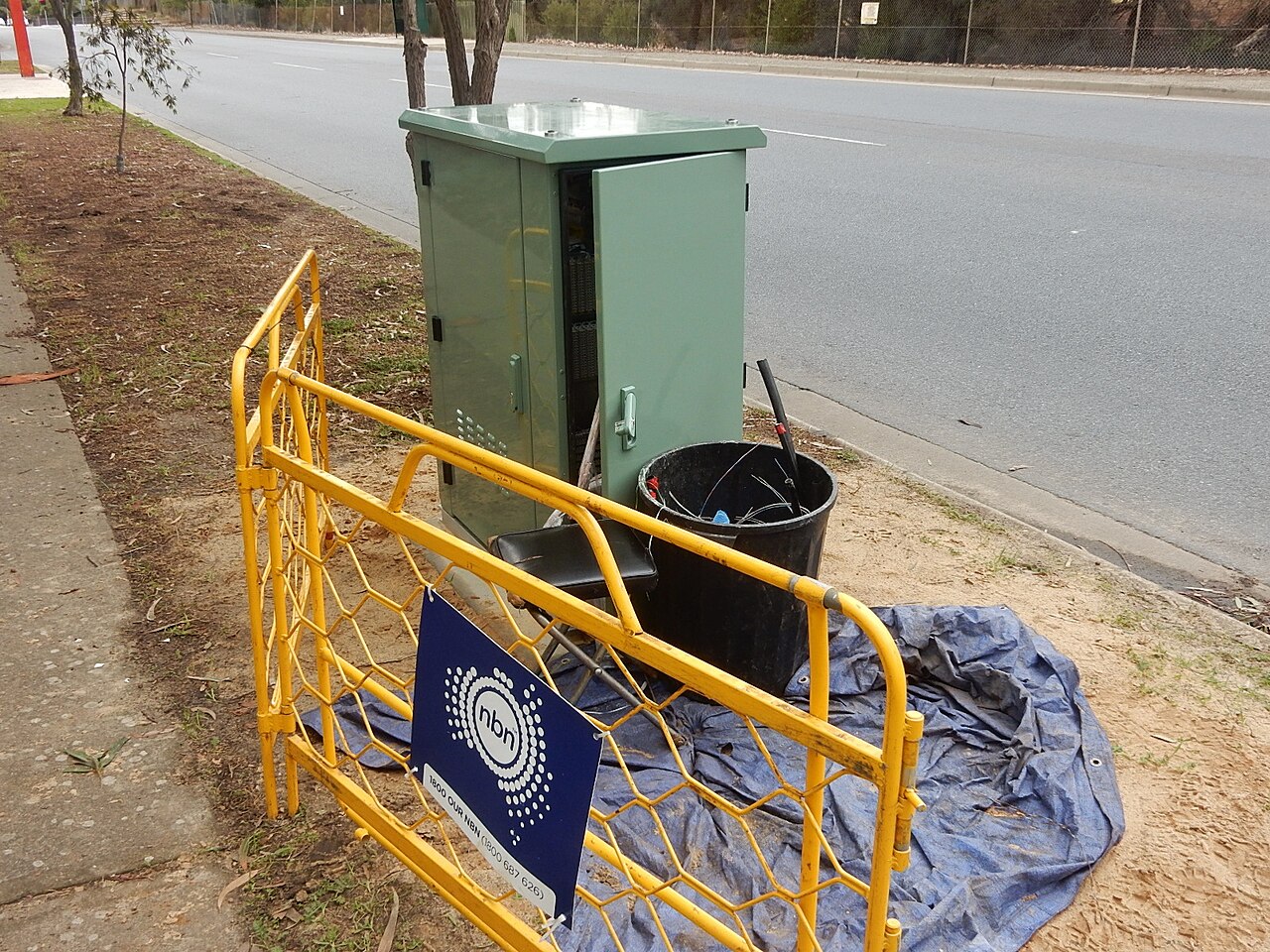
With FTTN, fibre runs from the exchange to a node, which is usually a cabinet on a footpath or nature strip. From there, nbn uses the existing copper phone and internet network to reach your home.
When nbn planned the FTTN rollout, it said FTTN would reduce the average copper line length to 450 metres, with roughly two thirds of homes within 400 metres of their cabinet.
With FTTP, nbn runs a fibre optic line from the nearest available fibre node directly to your premises. Your data travels as light the whole way, and there's no copper in the path.
Signals weaken as they travel along copper, so the further your home is from the node, and the older or more damaged the line, the slower your connection is likely to be. Fibre doesn't have the same problem over the distances involved in a street, so FTTP homes generally get close to their plan speed wherever they sit.
Our guide to what FTTN is explains fibre to the node in more detail, and our guide to what FTTP is covers full fibre connections.
FTTN vs FTTP speed
FTTP is much faster than FTTN, both in the plans you can order and in the speeds you actually get.
Plans you can order
FTTN homes can't order nbn's faster speed tiers. The ACCC says the fastest plan available on FTTN is 100 Mbps, and FTTN homes can't order the 500/50 Mbps Home Fast tier.
FTTP homes can order every residential tier. nbn's speed tier announcement lists these wholesale speeds for FTTP:
| Speed tier | Wholesale speed (download/upload) |
|---|---|
| nbn Home Fast | 500/50 Mbps |
| nbn Home Superfast | 750/50 Mbps |
| nbn Home Ultrafast | Up to 1,000/100 Mbps |
| nbn Home Hyperfast | Up to 2,000/200 Mbps |
Providers set their own retail speeds and prices on top of these wholesale tiers, so check the typical evening speed your provider advertises before you sign up.
Speeds you get in reality
The ACCC's Measuring Broadband Australia program tested real home connections until June 2026. In its final report appendix tables, the results by connection type were:
- Busy hour download speed: FTTP services averaged 100.8 per cent of their plan speed between 7pm and 11pm, while FTTN services averaged 94.7 per cent.
- Busy hour upload speed: FTTP services averaged 92.8 per cent of their plan's upload speed, while FTTN services averaged 82.1 per cent.
- Underperforming services: 10.7 per cent of FTTN services were underperforming, compared with 4.3 per cent of FTTP services. The ACCC counts a service as underperforming when it goes above 75 per cent of its plan speed in fewer than 5 per cent of tests.
The gap was widest on the fastest plans FTTN can order. Of the FTTN services tested on 100 Mbps plans, 17.4 per cent were underperforming. In its earlier April 2026 release, the ACCC said almost all underperforming FTTN services were impaired, which means nbn had measured a maximum attainable speed on the line below the plan speed. In other words, the copper couldn't carry the speed the household was paying for.
The ACCC groups FTTB (fibre to the building) results with FTTN, because both use VDSL2 over copper, so the FTTN figures above include some apartment buildings.
FTTN vs FTTP reliability
FTTP is more reliable than FTTN. Copper lines can be affected by corrosion, water damage, old joints and interference, and nbn says full fibre is approximately six times more reliable than its copper-based connections.
The ACCC's final report also tracked outages, which it defines as a connection dropping out for 30 seconds or more:
| Outage measure | FTTN | FTTP |
|---|---|---|
| Services with no outages | 46.9% | 51.6% |
| Services with outages at least once a day | 4.6% | 2.6% |
| Share of outages lasting 10 minutes or more | 23.9% | 7.3% |
The biggest difference is in how long outages last. Most FTTP dropouts were short, while almost a quarter of FTTN outages lasted 10 minutes or longer. For video calls, online gaming and working from home, a stable connection matters as much as raw speed, and this is where FTTP has a clear advantage.
Equipment: what you need for FTTN and FTTP
FTTN and FTTP use different equipment, so a device that works on one won't necessarily work on the other.
FTTN equipment
On FTTN, you need a VDSL2 compatible modem that plugs into your telephone wall socket. nbn says that if you already have a modem, it must be VDSL2 compatible to work on the network. Most providers supply a combined modem router. Older ADSL filters between the modem and the socket can stop the connection working properly, and nbn says pulse or rotary dial phones aren't compatible.
If you want to use a mesh Wi-Fi system on FTTN, you'll usually still need a VDSL2 modem in front of it, because most mesh systems are routers only.
FTTP equipment
On FTTP, nbn installs a utility box outside your home and a connection box inside. The connection box does the job of the modem, so you only need a router, which plugs into the connection box with an Ethernet cable. Both the connection box and the router need a power point.
Because FTTP doesn't need a modem, you have a wider choice of routers, including most mesh systems. If you order a plan faster than 1,000 Mbps, choose a router with a WAN port faster than 1 Gbps, or you won't get the full speed.
Power outages
Neither FTTN nor FTTP will keep working in a blackout unless your equipment has a backup power source, because the modem, router and FTTP connection box all run on mains power. nbn suggests you talk to your provider about whether your devices will work during a blackout. This is important if you rely on a landline phone service or a medical alarm.
Is FTTP better than FTTN for your home?
FTTP is better than FTTN for almost every household, but how much you'll notice depends on how you use the internet.
For light users
If you mainly browse, check email and stream on one screen, a well performing FTTN line on a 50 Mbps plan may be all you need. The difference you're most likely to notice on FTTP is fewer dropouts rather than faster speeds.
For busy households
If several people stream, game and download at the same time, FTTN's 100 Mbps ceiling can become a limit. FTTP lets you move to a 500 Mbps or faster plan when you need more capacity.
For working from home and gaming
FTTP's higher upload speeds and shorter outages make a difference for video calls, uploading large files and online gaming. A wired Ethernet connection to your router helps on both connection types, but it can't fix the instability of a poor copper line.
If you're moving house or buying a property
Check the connection type before you sign a lease or contract by entering the address on the nbn website. If the property has FTTN, check whether it's eligible for a fibre upgrade, and if you're renting, remember you'll need your landlord's permission for the installation. Our guide to NBN connection types explains how all seven compare.
How to tell if you have FTTN or FTTP
You can find out which connection you have by entering your address on the nbn website, or by asking your provider.
You can also check your equipment. An FTTN home has its modem plugged into a phone wall socket and no separate nbn box. An FTTP home has an nbn utility box mounted on an outside wall, usually at the front of the house, and an nbn connection box inside with a fibre cable running between them.
Can you upgrade from FTTN to FTTP?
You can upgrade from FTTN to FTTP if your address is eligible. nbn says more than 1.5 million homes and businesses have already upgraded, and it expects more than 99 per cent of the roughly 600,000 premises remaining in its FTTN upgrade program to have access to fibre by December 2030.
Right now, eligible FTTN customers need to order a plan based on an nbn wholesale high-speed tier from a participating provider to get the free upgrade. That changes on 31 March 2027, when nbn will remove the high-speed plan requirement and let eligible FTTN customers upgrade on any wholesale speed plan they choose.
nbn's upgrade page says installation of nbn supplied equipment is free, although providers may face additional costs that they can pass on. An adult needs to be home on installation day. Once your FTTP service is active, check that your old FTTN service has been cancelled so you aren't charged twice.
Some copper homes won't have a choice. Under its Targeted Upgrade program, nbn will start notifying selected homes with underperforming copper lines from July 2027, without requiring a high-speed plan. Copper services may be suspended as a last resort, but nbn says that isn't expected before January 2028.
Our guide to NBN fibre upgrades explains eligibility and the upgrade process step by step.
See if you can save
Enter your address and compare plans from Australia's leading retailers.
Frequently asked questions
Is FTTP better than FTTN?
Is FTTN or FTTP faster?
Why is FTTN slower than FTTP?
Do I need a different modem for FTTP than for FTTN?
Is it worth upgrading from FTTN to FTTP?
Will nbn replace FTTN with FTTP?
How do I know if I have FTTN or FTTP?
Keep reading

What is FTTB? NBN fibre to the building explained
FTTB (Fibre to the Building) is the NBN connection type used in many apartment blocks, where fibre runs the building's communications room and the building's copper wiring connects each unit.

What is FTTC? NBN fibre to the curb explained
FTTC is the NBN connection type that runs fibre to a pit in your street and uses the short copper line into your home. Here's how fibre to the curb works, its speed and how to move to full fibre.
What is FTTN? NBN fibre to the node explained
FTTN is the NBN connection type that runs fibre to a cabinet and uses the existing copper phone line for the rest. Here's how fibre to the node works, why speeds vary, and how to move to full fibre.