NBN fibre upgrades: how to get FTTP
Millions of homes on FTTN and FTTC can now upgrade to full fibre. Here's how the NBN fibre upgrade works, who's eligible, which plan you need, what it costs and what to expect from the FTTP upgrade.
On this page
- Quick facts
- What is the NBN fibre upgrade?
- Who is eligible for an NBN fibre upgrade?
- How to check if you can get a fibre upgrade
- Which plan do you need to order?
- Upgrading from FTTN to FTTP
- Upgrading from FTTC to FTTP
- Upgrading an apartment or unit on FTTB
- Is the NBN fibre upgrade free?
- How to get an FTTP upgrade
- What happens on installation day
- What happens to your old connection?
- Will nbn force you to upgrade?
- Is an NBN fibre upgrade worth it?
- Compare NBN plans for a fibre upgrade
An NBN fibre upgrade replaces the copper section of your NBN connection with fibre optic cable that runs all the way into your home. It moves you from Fibre to the Node (FTTN) or Fibre to the Curb (FTTC) onto Fibre to the Premises (FTTP), which gives you access to faster speed tiers and a more reliable connection.
For most eligible homes, getting the upgrade comes down to ordering the right plan through a participating internet provider. nbn then books a technician to install the fibre, usually at no installation cost to you.
The rules on which plan you need have changed in 2026, and nbn has also announced a program that will eventually require some copper-connected homes to move to fibre, so it's worth checking where your address stands.
Quick facts
- Selected FTTN and FTTC homes and businesses can upgrade to FTTP, and the process includes free installation of nbn supplied equipment, although extra costs may apply in some cases.
- FTTN customers need to order a plan on nbn's Home Fast wholesale speed tier or faster to qualify.
- Since 1 July 2026, eligible FTTC customers can upgrade on any speed plan, rather than having to order a high-speed plan.
- More than 1.38 million homes and businesses had upgraded to FTTP through nbn's Fibre Connect program by the end of June 2026, according to nbn.
- nbn plans to start notifying around 130,000 homes and businesses that they need to upgrade from July 2027 under its Targeted Upgrade program.
- Your existing NBN service keeps working while the fibre is installed, and it stays active until you cancel it.
What is the NBN fibre upgrade?
The NBN fibre upgrade is nbn's program for moving homes and businesses off copper-based connections and onto full fibre. nbn calls its main upgrade program Fibre Connect, and you'll also see providers advertise it as a "free fibre upgrade" or "FTTP upgrade".
On FTTN, the fibre ends at a cabinet on the street and your home's copper phone line carries the signal the rest of the way. On FTTC, the fibre ends at a pit outside your property and a short copper line runs into your home. The upgrade removes that copper section by running a new fibre line, called a lead-in, from the street to your home and fitting FTTP equipment inside and out.
Once you're on FTTP, you can order any fixed line speed tier nbn offers, up to 2000/200 Mbps. FTTN and FTTC connections can only access tiers up to the Home Fast tier, which runs at up to 100 Mbps on copper. Our guide to what FTTP is explains the technology and equipment in more detail.
Who is eligible for an NBN fibre upgrade?
Eligibility depends on your current connection type and whether nbn has built fibre in your street.
nbn says it chooses upgrade locations based on demand, workforce availability and cost-effectiveness, and nbn also needs to have designated your home as a "simple premises".
Apartments and units in complexes go through a separate building program, covered below.
| Your current connection | Can you upgrade to FTTP? | What you need to do |
|---|---|---|
| Fibre to the Node (FTTN) | Yes, at eligible addresses | Order a plan on the Home Fast tier or faster |
| Fibre to the Curb (FTTC) | Yes, at eligible addresses | Order any eligible plan from a participating provider |
| Fibre to the Building (FTTB) | Through a separate building program | The building's owners corporation or body corporate applies to nbn |
| Hybrid Fibre Coaxial (HFC) | Not part of the program | HFC already supports speeds up to 2000/100 Mbps |
| Fibre to the Premises (FTTP) | Already on fibre | No upgrade needed |
| Fixed Wireless or Satellite | Not part of the program | These areas have separate nbn upgrade programs |
The number of eligible addresses is still growing. nbn said in September 2026 that around 600,000 premises remain in its FTTN upgrade program, and that more than 99 per cent of them are expected to have access to an FTTP upgrade by December 2030. About 91,000 of those premises were already able to order an upgrade at that point, and the rest are in design or construction.
How to check if you can get a fibre upgrade
Enter your address in the checker on nbn's full fibre upgrade page. The result will tell you whether full fibre is available now, whether it's coming to your area, or whether it isn't currently available. If your address isn't eligible yet, you can register for updates.
Many internet providers also have their own address checkers, and they use the same nbn data. If your provider's checker says your address is eligible, they can tell you which of their plans qualify.
If you're not sure which connection you have now, look at how your modem connects. If it plugs straight into a telephone wall socket, you're likely on FTTN or FTTB. If it plugs into a small nbn connection box that is itself plugged into the phone socket, you're likely on FTTC.
Which plan do you need to order?
The plan rules are different for FTTN and FTTC.
Upgrading from FTTN to FTTP
FTTN customers need to order a plan based on nbn's Home Fast wholesale speed tier or faster to qualify for an upgrade. On a copper connection, the Home Fast tier runs at up to 100 Mbps, but on FTTP the same tier is much faster. Because of this, providers name their upgrade plans differently. Aussie Broadband, for example, lists 500/50 Mbps as its minimum plan for FTTN upgrades.
The simplest approach is to ask your provider which of its plans include the fibre upgrade. Many providers label these plans clearly on their websites.
Upgrading from FTTC to FTTP
From 1 July 2026, nbn removed the requirement for FTTC customers to order a high-speed plan. Before the change, most FTTC customers had to order a plan at 100/40 Mbps or higher to qualify. Now, eligible FTTC customers can request an upgrade on whichever plan suits them, including a cheaper 25 Mbps or 50 Mbps plan.
nbn has said it is prioritising FTTC upgrades because FTTC has higher fault rates than its other copper-based networks. If you're on FTTC and your connection drops out often, an upgrade is worth looking into even if you don't need faster speeds.
Upgrading an apartment or unit on FTTB
The standard upgrade program doesn't cover individual units in apartment buildings. Instead, an authorised representative of the building, such as a member of the owners committee or body corporate, registers the building with nbn.
If the building is eligible, nbn provides a build quote and an agreement for the representative to sign, and a construction partner then surveys the site and installs the network.
nbn says the installation plan is usually ready within two to six weeks, and the checks before residents can connect typically take four to six weeks once the build is done.
If the building decides not to go ahead after receiving the plan, a break fee covers nbn's planning and design costs. Once the building is ready, each resident orders a fibre plan through their own provider.
Is the NBN fibre upgrade free?
For most standalone homes, the installation doesn't cost you anything. nbn says a full fibre installation includes free installation of nbn supplied equipment only, and that additional costs may apply to providers depending on the complexity of the job and the type of building. Providers can pass those costs on, so ask your provider before you order if your property has a long driveway, a difficult cable path or another unusual setup.
There are a few other costs to keep in mind:
- The plan itself: If you're on FTTN and currently pay for a slower plan, the plan you need for the upgrade may cost more each month.
- Minimum term: Providers commonly require you to stay on an eligible plan for 12 months after the upgrade.
- Your router: If your current modem only connects to a phone socket, you'll need a router that connects to the nbn connection box with an Ethernet cable.
- Moving the equipment later: If you want the connection box somewhere other than where nbn installs it, you may need to pay for your own cabling or Wi-Fi equipment.
How to get an FTTP upgrade
Once you know your address is eligible, the process runs through your internet provider.
- Order an eligible plan. Contact your current provider or switch to a participating provider and order a plan that includes the fibre upgrade. Your provider places the upgrade order with nbn and books your installation appointment.
- Get permission if you rent. The upgrade usually involves drilling and sometimes digging, so nbn says renters need the landlord's permission before the installation goes ahead.
- Check your equipment. Ask your provider whether your current modem will work with FTTP. nbn's installation guide recommends a router that supports at least Wi-Fi 6 if you're moving to a faster plan.
- Be home for the installation. An adult aged 18 or over needs to be at the property for the appointment and sign off on where the equipment goes.
- Wait for activation. Your provider switches on the new FTTP service and lets you know when it's ready. Your old copper service keeps working until then.
The whole process takes around two to four weeks from order to switch-on, although timing varies between areas and providers.
What happens on installation day
According to nbn's installation guide, the appointment usually takes between two and four hours, and it can take longer for more complex jobs. Your power and internet may be off for 30 to 60 minutes while the technician works, so keep your mobile phone charged.
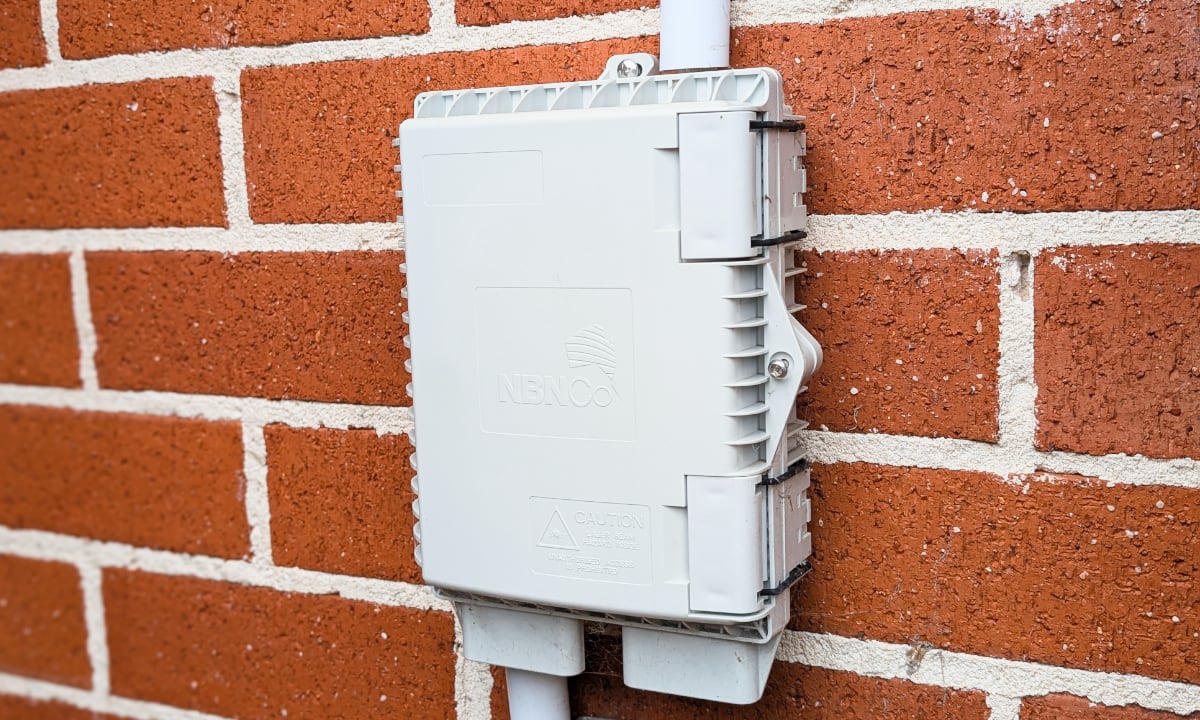
Outside, the technician runs the fibre lead-in from the street to your home. Where possible, it follows the path your existing phone line takes, whether that's overhead or underground. If that isn't possible, the cable may be fixed along walls or fences or buried just below the ground. The fibre ends at an nbn utility box, which is usually mounted at the front of the home at least 400 mm above the ground.
Inside, the technician fits an nbn connection box near a power point, in a spot where your router can plug into it. The person at home will be asked to agree to the equipment locations before the work is finished. If the job can't be completed on the day, nbn says it will come back as soon as possible.
Activation usually happens on the same day as the installation, but it can take longer. Once your provider confirms the service is active, plug your router into the connection box with an Ethernet cable.
What happens to your old connection?
nbn installs the fibre alongside your existing FTTN or FTTC service, so you're not left without internet during the upgrade. Your original service stays active unless you cancel it, so confirm with your provider that the old service has been closed once the new one is working. This avoids paying for two services at once.
If you have a home phone, a medical alarm or a security system on your current connection, ask your provider how it will be moved to the fibre service before you book. FTTP equipment needs mains power, so these services won't work in a blackout unless they have their own backup power.
Will nbn force you to upgrade?
Some homes will eventually have to move to fibre. In April 2026, nbn announced a Targeted Upgrade program that aims to upgrade around 130,000 homes and businesses on copper connections in its first year. The program will focus on areas where fibre is already available, including homes with underperforming copper lines and areas where nbn wants to retire underused network nodes.
Here's how nbn says the program will work:
- The first affected homes and businesses will start receiving notifications from nbn in July 2027.
- Households in the program won't need to order a high-speed plan, and they can stay on their current speed tier or choose a new plan.
- nbn describes suspending a copper service as a last resort, and it doesn't expect the first suspensions until January 2028.
- Customers can ask to extend or defer before a service is suspended, and nbn says providers will offer case-managed support to customers who need extra help.
Separately, nbn says it will give your provider at least 18 months' notice before it turns off the original technology in an upgraded area.
If your address is already eligible, upgrading now lets you choose your own timing and provider instead of waiting for a notice.
Is an NBN fibre upgrade worth it?
For most eligible households, FTTP opens up speed tiers that FTTN and FTTC can't reach, it has much faster upload speeds, and it removes the copper section of the line, which is where many dropouts and slowdowns start. On FTTN in particular, the speed you get depends on the length and condition of the copper line between the node and your home, and fibre removes that limit.
The main reasons to wait are cost and timing. If you're on FTTN, are happy with a cheaper plan and don't want to commit to a faster plan for 12 months, you may prefer to hold off until a lower-cost option becomes available at your address. If you rent or plan to move soon, check with your landlord before committing to an installation.
Compare NBN plans for a fibre upgrade
If your address is eligible, the plan you choose decides whether you qualify and how much you'll pay each month. You can compare internet plans to find an eligible plan at the right speed for your household, or talk to the UtilityClub team about which providers can arrange the upgrade. If you're moving house, our moving service can help you get the internet and utilities connected at your new address.
See if you can save
Enter your address and compare plans from Australia's leading retailers.
Frequently asked questions
What is the NBN fibre upgrade?
How do I get an NBN fibre upgrade?
Is the FTTP upgrade free?
What plan do I need for an FTTN to FTTP upgrade?
Do FTTC customers need a fast plan to upgrade?
How long does an NBN fibre upgrade take?
Can renters get an NBN fibre upgrade?
Will my internet stop working during the upgrade?
Can I upgrade an apartment to FTTP?
Keep reading
What is FTTP? NBN Fibre to the Premises explained
FTTP runs fibre optic cable all the way to your home, making it the fastest and most reliable NBN connection type. Here's how it works, the speeds it supports and how it compares to Fibre to the Curb.

NBN connection types explained
The NBN reaches homes through different connection types, and the one at your address decides which speeds you can get. Here's how each type works, its top speed and how to find out which you have.
Fixed price electricity vs variable rate plans explained
A fixed price electricity plan locks your rates for a set period, while a variable plan lets your retailer change them. Here's what each type protects you from and how to choose.